Recommendations
promotions, recommendations

Recommendations is the section that your department members will use to upvote and recommend either management members or Low Ranks that are dedicated into ranking up and have shown enough activity to advance to their next rank.
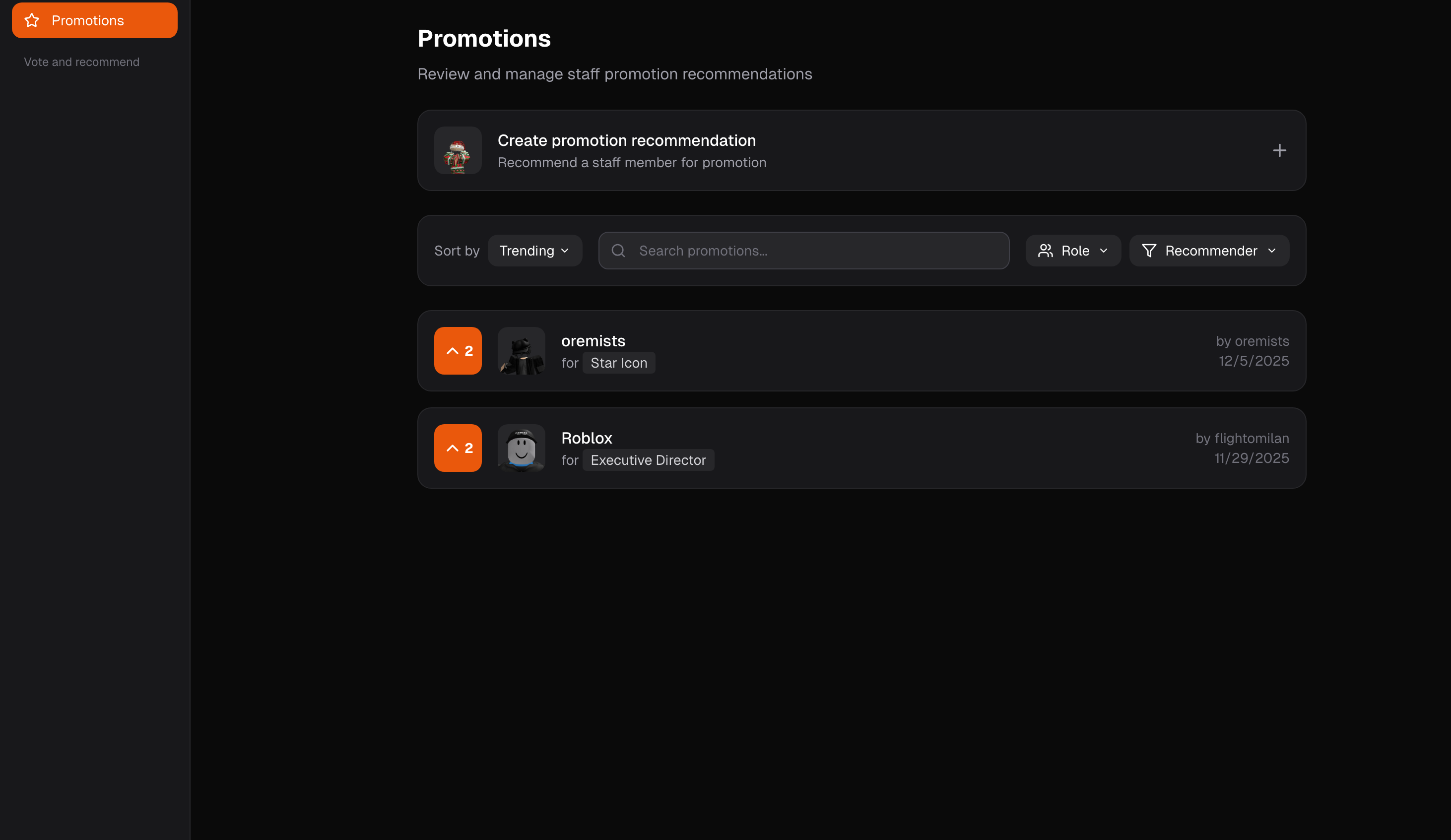
The page features a list where it shows all recent recommendation while you can use our filters to filter out certain recommendations. The most recent recommendation is always at the top.
To upvote for a recommendation or delete it, you need to have the Upvote Recommendations and Delete Recommendations permission, once you have that then you’re able to click on a recommendation to see the full page.
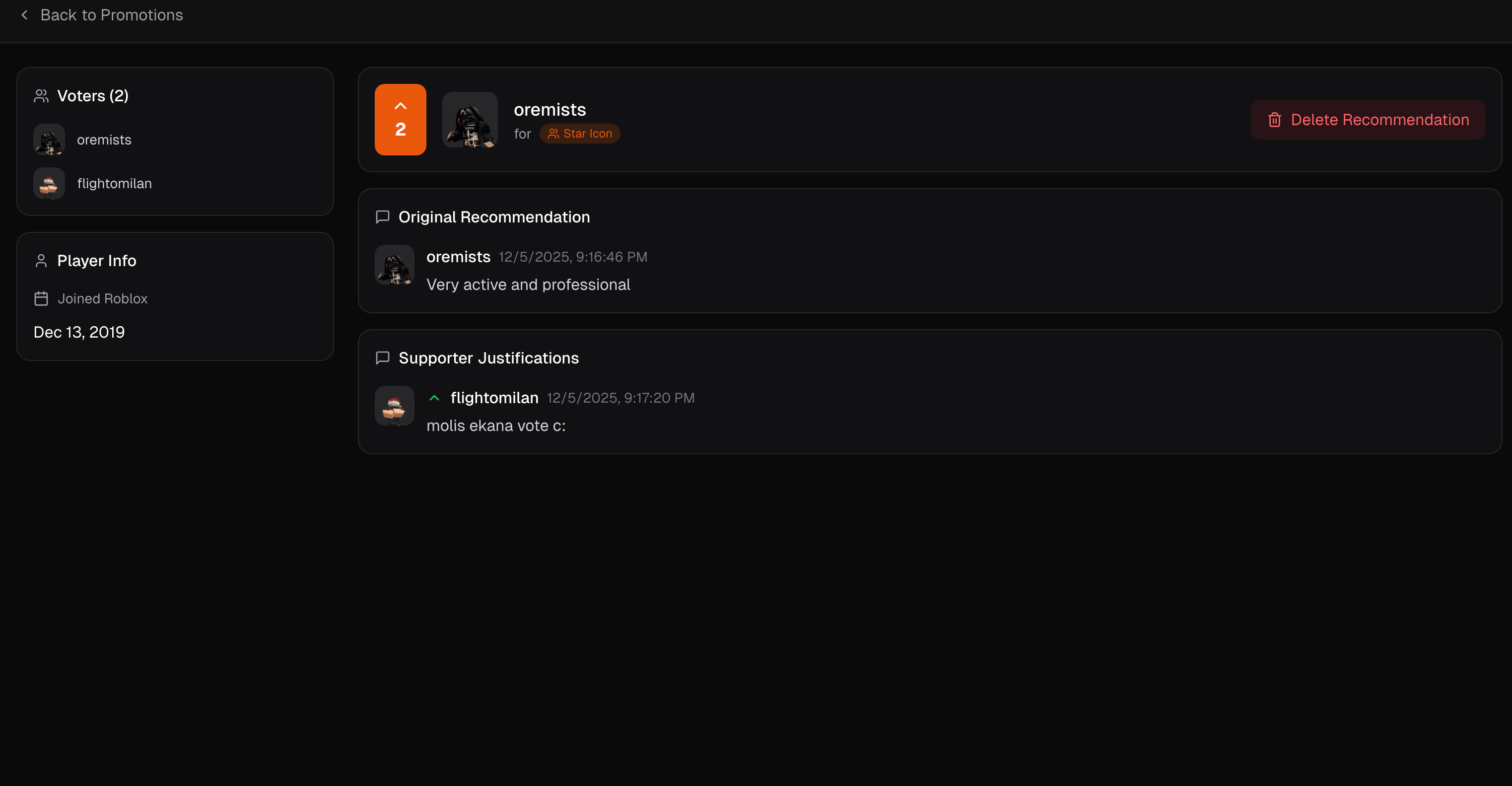
There you can see the Player Info which shows their Roblox Join Date along with a list of Voters. You can also see the upvote account along with the initial reasoning of the recommendation and the supporter justifications if there are any. To upvote a recommendation click the upvote button and provide a justification (reason) on why you think this person should be promoted.

Currently, you are not able to cancel an upvote so be mindful on who you’re voting for.